
Managing your candidate pipeline
Track candidates through your hiring stages, move them along the pipeline and keep your outreach organised — all inside ama. The video walks through managing candidates from first contact to hire.
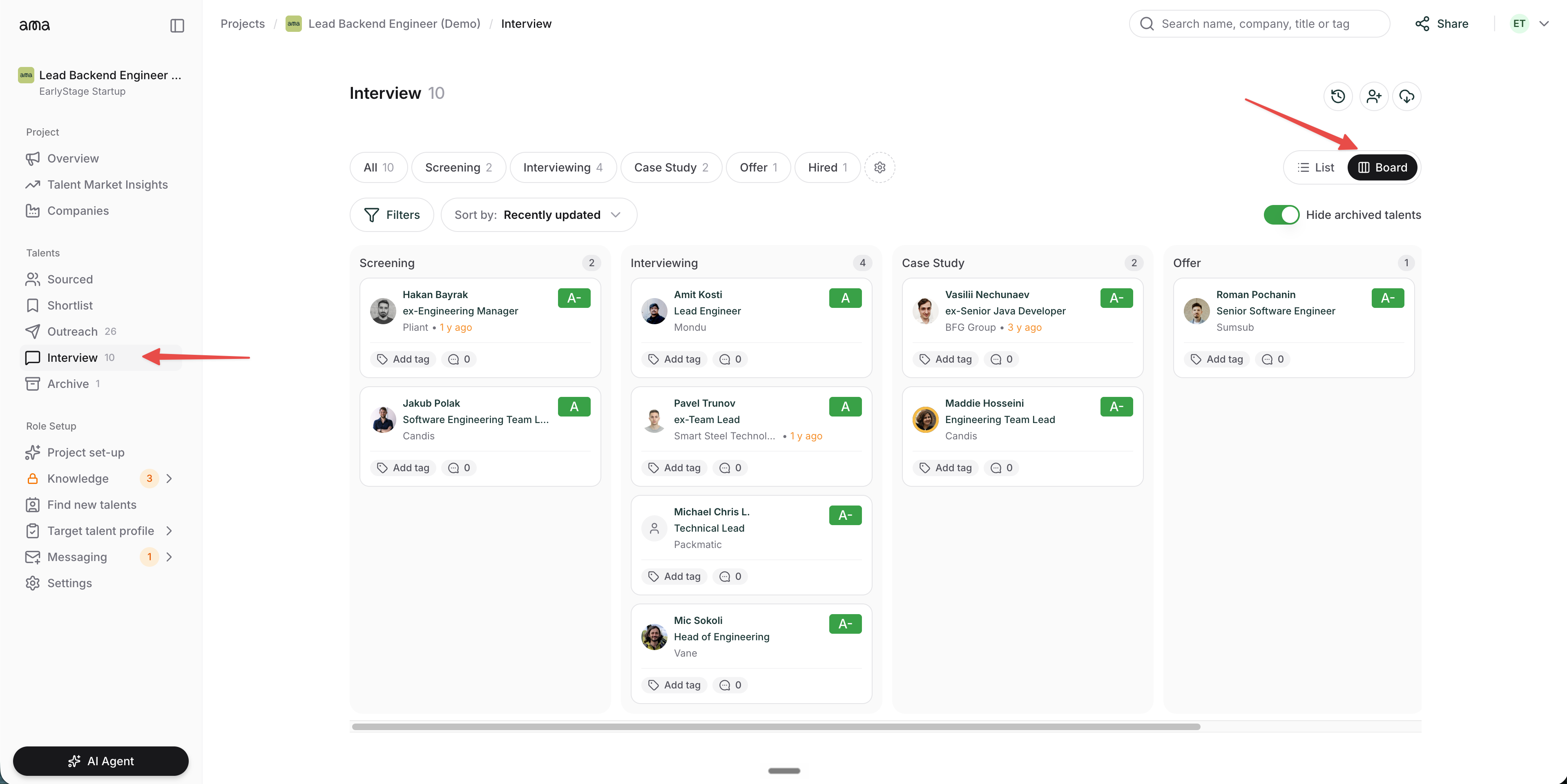
Board view in the Interview tab
Section titled “Board view in the Interview tab”Since this video was recorded, the Interview tab has a new Board view. Switch between List and Board using the toggle in the top-right corner. The board lays your candidates out in columns by stage — Screening, Interviewing, Case Study, Offer and Hired — so you can see the whole pipeline at a glance and drag people between stages.
Show transcript
A quick walkthrough on how to manage candidate pipelines in ama. Right now we’re in the Source tab, which holds all the candidates you or one of your colleagues haven’t reviewed yet. Once you look at a candidate’s profile, you can send this person to your shortlist as a priority one or a priority two. Let’s say I add them as a priority one — now they move to the shortlist tab. Here we have the candidates in priority two and priority one, who you should reach out to first. Once we’ve contacted a candidate, we can mark them as contacted; if you click the reach-out button, they’re automatically marked as contacted and move to the Outreach tab. Those are all the people you’ve messaged. Let’s say they reply and agree to a screening interview — you can move them to the Interviewing tab, and select which stage to put them in: screening, interviewing, or mark them as hired. And if it doesn’t work out, you can archive the person and record the reason — for example, they weren’t interested — and they move to the Archive section.
Auto-generated from the video.